

Claude Can’t See Xcode Previews — Here’s How We Fixed It

Problem
Claude cannot see Xcode Previews, so it ends up building SwiftUI components completely blind.
Why This Matters
When Xcode Previews were introduced, they changed how we build UI. Instead of recompiling the app, launching a simulator, navigating to a screen, and waiting just to validate a spacing tweak, developers could iterate instantly. That feedback loop saved hours of wasted time.
Although Apple is pushing Xcode to be more agentic and they just released Xcode MCP Tools our workflow at Grindr is increasingly CLI-first. Many of our iOS engineers can go an entire week without opening Xcode. Therefore, we want to build solutions that prioritize agents and CLI-first coding practices instead of forcing our developers to open Xcode.
So we came back to the original question:
How can we give Claude access to “Previews” without ever opening Xcode?
Solution
We wanted to emulate the preview experience for Claude. This meant our requirements were:
- Very quick builds:
- One of Preview's greatest benefits is hot reloading, allowing developers to iterate on views extremely quickly
- No Navigation
- We want only our view/component to show up. There is no need to navigate around the app to find your component
The idea we came up with was to build an app target on the fly based on the View's import statements. So a view such as this:
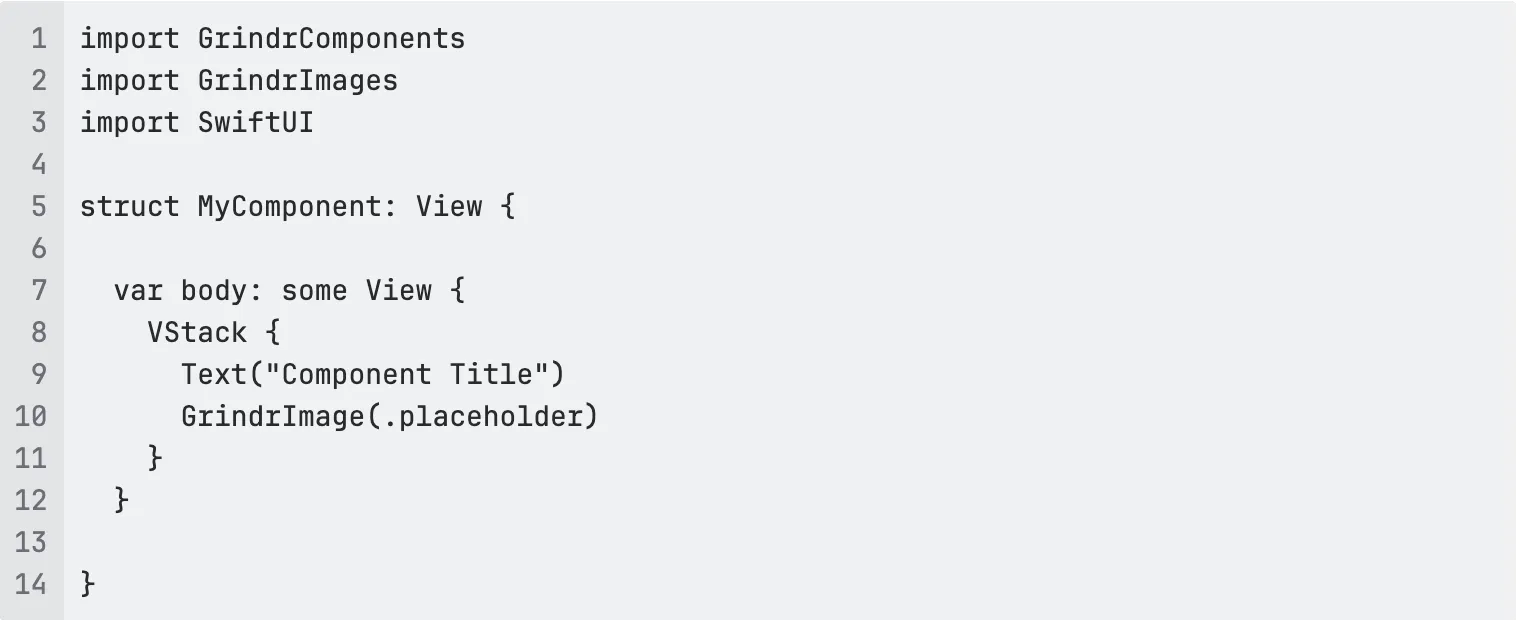
has two internal dependencies GrindrComponents and GrindrImages. it has one external dependency SwiftUI. Therefore, we should be able to build a new app target with those 3 dependencies, put our view in the ContentView, and then display it in a simulator. This should give us our two requirements:
- Very quick builds: Building a bare minimum app with only the required dependencies will give us far quicker builds than our monolithic app would
- No need to navigate: Since our view will be the thing in ContentView, there is no need to navigate around the app to find our component
Here is what we built. We added a new cli script called "preview <path-to-file>". The CLI script does the following:
- Locates our file
- Grabs all the imports
- Uses Xcodegen to build a target on the fly
- Renames your view's struct to match the template's entry point via regex and drops it into the
template project - Launches the app on a simulator
All the developer has to do is type ./grind preview /components/MyComponent.swift or ask Claude to "show a preview for that view we are building"

Compromises
You might be wondering, "but what if my View requires a ViewModel or observable object?". This is one of the tradeoffs we made for our preview command. Instead of relying on a concrete observable object (like a ViewModel), we've updated our documentation to rely more on protocols that describe the observable object. This means we do not have to chase down the entire dependency chain. Everything the view needs is defined in this one file.
This also is in line with another one of our core philosophies, that not every view needs an observable object or a ViewModel. Often times, the less publishing and observability you can add, the more predictable your components will be. A view that simply accepts data via init is a lot easier to reason about, test, ...etc.
Next Steps
There are several next steps one could take now that you have a hacky preview. You can have Claude use idb or other mcp's to take screenshots and interact with the simulator. In a follow-up blog post, we will describe some of the approaches and skills we've created to work with this preview command.








.jpg)


