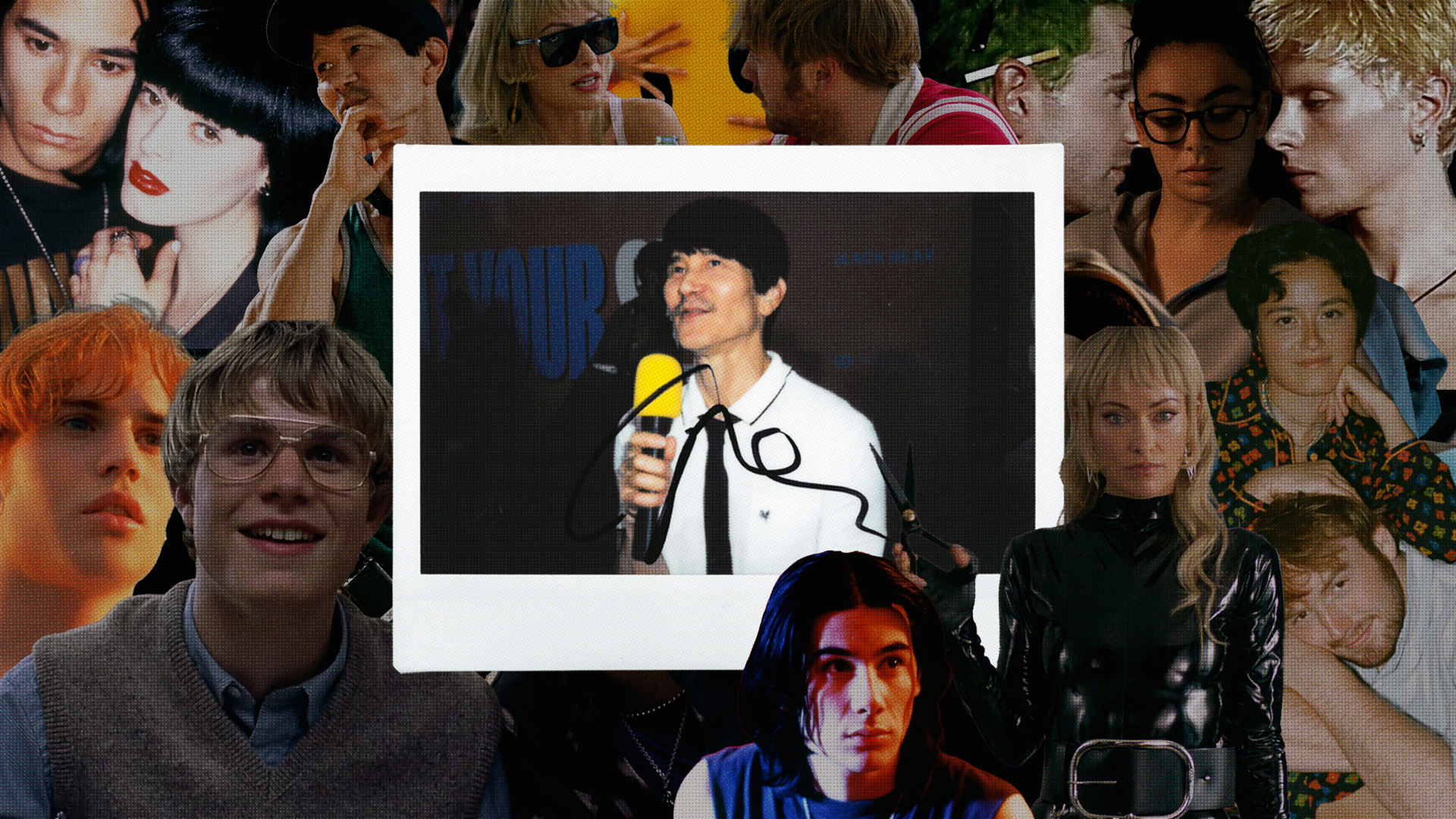
If you ask any gay guy that follows @DiscussingFilm on X, actively logs films on Letterboxd, or has been championing Charli XCX’s venture into acting, chances are they’re probably using their AMC A-List membership to go see the premiere of Gregg Araki’s I Want Your Sex this week.
Releasing in 700 theatres across the United States on July 31st, I Want Your Sex is Araki’s first feature film in over a decade, marking a return to the big screen for the filmmaker often dubbed as a pioneer of the 90’s New Queer Cinema wave.
Whether you’re part of the crowd that has contributed to five of his titles being in the top 250 most liked movies on Letterboxd or a Tumblr veteran that reblogged film screencaps with quotes back in the day, there's no doubt that, one way or another, pieces of Araki's filmography have crossed your desk.
A day before the Los Angeles premiere of I Want Your Sex, Grindr had the chance to sit with Gregg Araki to discuss all things related to his filmography, sex, Gen Z, and Grindr.
Grindr: Gregg Araki, It is an honor to be with you here today.
Gregg Araki: It's an honor to talk to Grindr. Me and Madonna, both talking to Grindr.
Grindr: Honestly, dream team right there. Let me tell you that.
It’s your first feature film in 12 years, I watched White Bird in a Blizzard and rewatched Totally Fucked Up last night to prepare for this. How are you feeling right now, now that the premiere is tomorrow and it's coming out nationwide on Friday?
Araki: I mean, I'm just super excited for the movie, for people to see the movie. I mean, it's a movie that is full of queer joy, and it's a movie that is meant to be enjoyed. Of all my movies, [it’s] probably the most kind of entertaining.
It's purposefully fun, very pop – it's 90 minutes [laughs]. It’s the movie you go to see with your friends and just go out to a bar afterwards and argue about it. I mean, that's kind of what my dream scenario is.
We just had a screening last month at the Castro in San Francisco, and it was like a riot. It was like so cr–people were so LOUD and like, yelling and screaming and cheering. It’s a fun movie to see with an audience, so I'm really excited for that. For it to just finally be amongst the people.
I mean, we've just been waiting for so long for the movie to come out. We literally finished it last summer. Then we were gonna premiere it in the fall, but then Sundance was like, “Oh, you have to hold it for us!”
It was the last Sundance [in Utah] this year, so we held it for Sundance. That was January this year, and then Olivia had her other movie come out – it's just been like one thing after the other. So finally, at the end of July, we bring it into the world. So I’m super super happy.
Grindr: I got to watch the screener on my couch, but I'm definitely planning on going with my friends to watch it.
Araki: Yeah, it's just a movie to see with your friends! You know what I mean? Because it is a lot of crazy inappropriate stuff happening [laughs]. But in a good way.
Grindr: Looking back, was there a specific moment – whether in the writer's room or behind the camera – that really clicked for you and got you back into the filmmaking process that you're familiar with? Was there a key turning point that for you was just like, “Oh yeah, I know what I'm doing.”
Araki: That gap between White Bird in a Blizzard and this movie, it's not like I was on vacation or went on a desert island or something [laughs].
The original spec script for this movie, I read it in like 2012 or 2013. So it's something I've been working on for a really long time. And it's been changing and developing. The original script was a female intern and a male boss. And then around #MeToo, I sort of flipped the sex roles and made it a male sub and a female dom. And the whole like Sunset Boulevard, buying a pool, murder mystery part, that was not in the original script.
The biggest thing that happened in the script was – and this is in the last sort of drafts of the script that I was working on – was that I read that article that they talk about in the movie about Gen Z and how Gen Z’s not having sex anymore.
And so, Erika's reaction to that is very much my reaction of like, “Wait, wait, wait. You're all about FOMO and you're gonna miss out on the sexual prime of your life, and that's okay?” And so, that became a big part of the movie because the movie's always been about sex positivity and about the idea of sex as a really important part of life.
In terms of my own life and my own journey as a person and as an artist, it's all about sex: relationships, failed relationships, your heart getting broken, falling in love with the wrong person, having a crush on this person – it's all of that stuff, that's like what my whole life has been. And the idea of a generation that doesn't participate in that it was unsettling to me.
But I think that Cooper's character, at the same time, eloquently talks about where his generation [Gen Z] is coming from because it is a completely different context.
Technology, social media, everyone's getting filmed all the time, COVID – so many things factor into people feeling uncomfortable and people being afraid to take a chance. And I just think that life is all about taking chances.
Grindr: Were you able to have conversations with Cooper about his own attitudes and perspectives when it comes to both sex and love and use that as a way to navigate how the story should play out?
Araki: Cooper and all the cast, the younger cast, are different than what the movie's talking about. Cooper, Chase, Charli, they've all been in relationships, they all have sex, they're all fully engaged in the world. So I'm not saying that everybody–like I'm sure you're having sex. You work at Grindr.
Grindr: [laughs] Yes.
Araki: So I'm not saying it's a blanket statement, “nobody's having sex,” there's just a large number of Gen Z that isn't having sex.
Cooper and all of them, they're all actors, they're all, by nature, extroverts. They're all, by nature, adventurers out in the world, so I think it's natural for them. Also as an actor, you need that experience to draw from otherwise you're just like empty inside, you know.
A lot of people I know, and relatives and whatnot: 30 years old, never been on a date! 30 years old, never like kissed anybody! You know? I mean, it's just like what are you talking about?
So a lot of the stuff about how this generation doesn't want to make mistakes, doesn't want to be judged, it's the anxiety of doing the right thing all the time. That became very much very specific context for that generation.
Grindr: I mean this is my first Araki release that I got to experience as an adult and you are one of my favorite directors, so it was everything to me.
Araki: Aw, thank you.
Grindr: I think a quote that really stuck with me while watching, that I think might get overlooked but thought there was so much truth within it, was when Yvette (Roxane Mesquida) talks to Elliott (Cooper Hoffman) in the room and says, “Americans treat sex like it’s an animal act. Stripped of sensuality, of mystery…This is not erotic, this is performance.”
I'm curious to know where the inspiration for her monologue was in the writing room. It’s obviously a movie that talks so much about sexual interests, fantasies and the idea of performance. But, I think in this movie it's the first time where the mask is kind of lifted for a bit.
Araki: I mean that part was specifically written for Roxane Mesquida, the actress. She was in my movie Kaboom, that's where we first met. And then, she was also one of the leads in Now Apocalypse. So, Roxane has a very specific, very French persona, and it's so much fun to write for her because she has that kind of flat affect and she's very so French. In the point of view of that character, [she’s] so different from Elliot.
I love that scene in the movie because Roxane and Cooper have just such different acting styles, and just the contrast between them, and the contrast between France and America, and all of it – I just think is really fun and cool to watch. I think that that point of view makes the other scenes of the movie kind of pop a little bit more.
Grindr: I won’t spoil it, but there’s also a little cameo at the end by [redacted].
Araki: What?????
Grindr: What?????
Araki: It's funny, everybody in the movie, actually all of the supporting characters are all from all my old movies. There's a lot of Easter eggs for the fans. And one of them is, of course, [redacted] – that’s supposed to be a surprise.
Also, Darcy Marta plays the art critic that sort of cuts Erika down to size. Darcy was in my very first movie I made right out of USC, Three Bewildered People in the Night, and she was also in The Living End. I hadn't seen Darcy for like 35 years and she came to a Doom Generation remaster screening in San Francisco, and I was like, “Oh my God, Darcy!”
I was so happy that she did it. She's so good and [that’s] like one of my favorite scenes.
Grindr: Having people you've worked with in the past on this set, did you have a moment to step back and reflect on your journey as a filmmaker? Especially as one that a lot of people consider such a leading voice of the New Queer Cinema wave of the 90’s?
Araki: The movie was fun in that way; the cast spans all my old movies. And also the soundtrack – The Pretenders’ song (“Bad Boys Get Spanked”) is a song I’ve always loved and wanted to use in a movie from the time it came out like 1981 or something. And it was from the time when I was Cooper's character's age.
Cooper's character is, in a lot of ways, based on myself as a young, sort of trying-to-figure-it-out creative. “I want to be an artist, I don't know why,” you know what I mean? Just being that age and being so confused and uncertain, but the whole world’s in front of you. You don't know what's gonna happen to you. That was a big part of his character for me.
So the movie kind of spans in a way, [having been] Cooper Hoffman[‘s character]. Being young, naive, just sort of innocent, out in the world. And then being like Erika Tracy (Olivia Wilde’s character), more established and sort of made her mark in the art world.
Grindr: When we kind of look back at your filmography, we look at the political themes in Totally Fucked Up and The Living End of distrust and resentment with government neglect, especially during the AIDs crisis.
Araki: Mhm.
Grindr: Even Anna Faris’ pro-workers’ rights monologue in Smiley Face, which, love.
With this movie, given the topic of sex in a society that still deems it taboo, are there any kind of attitudes or reframing of thoughts that you hope people leave screenings with?
Araki: I mean, honestly, it's like the world's so fucked up right now.
It's like that old 70’s idea, “make love, not war,” you know what I mean? I seriously think that sexual oppression – that's why there's that Jesse Ware “Free Yourself” song [on the soundtrack] – it's just literally that level of oppression and repression and attack on LGBT people, particularly T people. It’s just so awful and nasty and it's just not healthy.
I think a lot of that is tied to why there's so much violence and so much anger. The world's kind of a cesspool right now of that weird, super toxic masculinity. And so the idea of the movie, again, is of liberation and freeing yourself and just getting in touch with your sexuality, who you are, and hopefully the world will be a little bit of a happier place.
Grindr: A little happier place.
Araki: And Grindr is really doing the work to make the world like that [laughs].
Grindr: Making the world a little better, absolutely.
I think that's all the time that we have, but again, it was an honor to talk to you.
Araki: Thank you. Go Grindr!
I Want Your Sex is in US theaters now, via Magnolia Pictures.
*This interview has been condensed and edited for length and clarity.
I Want Your Sex director Gregg Araki discusses the legacy of his queer, cult-classic filmography, why Gen Z is always anxious, and how, in his opinion, people aren’t having enough sex.